"Moving to E5 has been really good from a security point of view... Now we can get a holistic view of what’s going on, which helps us to make changes and recommendations for future plans."
IT Service Manager
Ian Harkess
Trusted by industry leaders
Kickstart Your FastTrack Journey
Fill out the short form below to express your interest in our FastTrack programme, and we’ll be in touch soon.
Please note: A minimum of 150 enterprise licenses is required for FastTrack eligibility.
“We needed to find solutions to a variety of issues whilst being a complex business, operating in a 24/7 environment. Stripe OLT listened and understood immediately the challenges we faced.”
IT Operations Manager
Simon Darley
Trusted by industry leaders
Let's Talk
Call us on one of the numbers below, we cover the whole of the UK, so call the nearest office.
“We needed to find solutions to a variety of issues whilst being a complex business, operating in a 24/7 environment. Stripe OLT listened and understood immediately the challenges we faced.”
Taking an up-to-date approach, when it comes to password policies, doesn't have to be complex... Utilising Entra ID, our Microsoft expert Lewis, will take you through his latest recommendations.
Too much of the focus today is still on how the actual password is composed, rather than adopting multi-factor authentication and Self-Service Password Reset.
8 characters or more, some special, throw some numbers in there, and rotate often.
Pretty much the standard advice for creating passwords for as long as computer systems have existed. I want to talk about why this logic isn’t important anymore, providing you’ve got other controls and training in place.
Microsoft Defaults
In Active Directory, the Default Domain Group Policy Object will have a password policy with the following settings:
Enforce password history: 24
Maximum password age: 42 days
Minimum password age: 1 day
Minimum password length: 7
Complexity requirements: Enabled
How many of you look at that now and wince a bit?
In Entra ID (formerly Azure Active Directory) the standards are:
Enforce password history: 1
Maximum password age: 90 days
Minimum password age: 0 days
Minimum password length: 8
Complexity requirements: Enabled
Slightly better, but still not what good looks like.
While this has been “best practice” for many years, too much of the focus today is still on how the actual password is composed, rather than adopting multi-factor authentication and Self-Service Password Reset.
Many organisations out there today will have highly specific requirements: some might want 12 characters minimum, others encourage passphrases, and if you’re really unlucky, ridiculously short expiry times.
Passwords aren’t the important bit anymore
As Gabe Newell demonstrated with the introduction of Steam Guard over 10 years ago, it’s the MFA element that protects him.
Our industry has not yet caught up with this idea, hence the slew of external regulators and insurers demanding standards that they haven’t questioned or revised recently.
What you should be doing
If Entra ID is your identity provider:
Leave the default password creation policy as it is – go configure a banned password list if you really want to
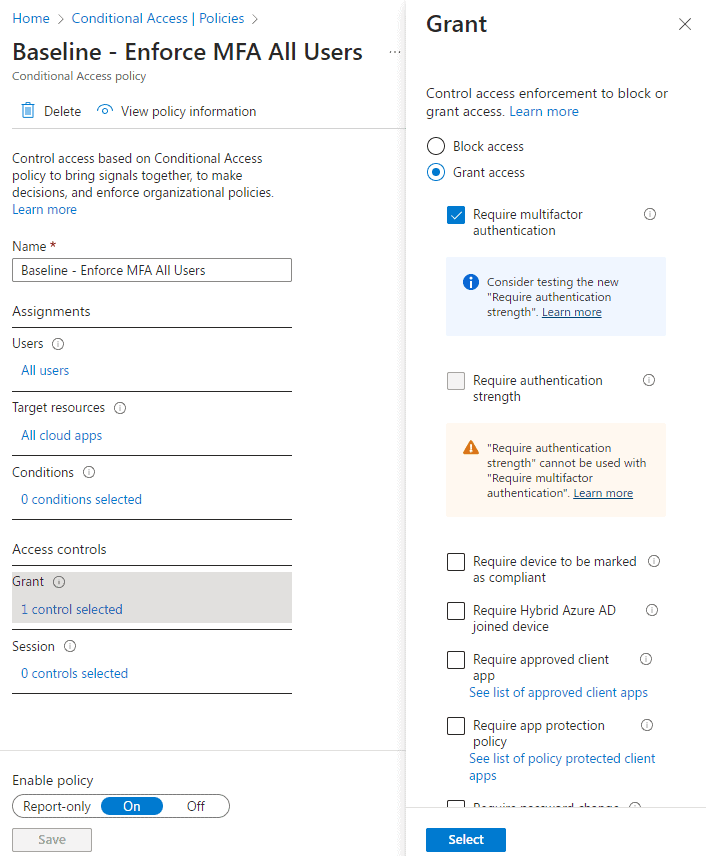
Create a Conditional Access policy to enforce MFA for All Cloud Apps for All Users*
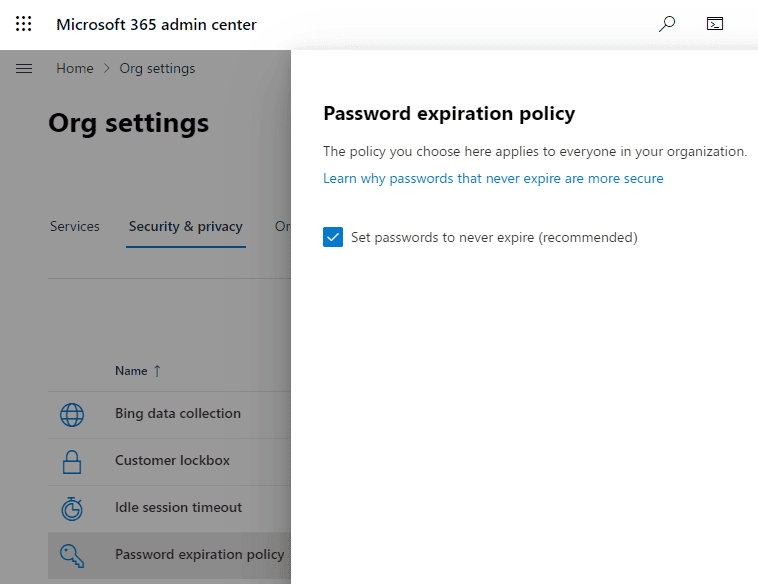
Disable password expiry from the M365 Admin Portal
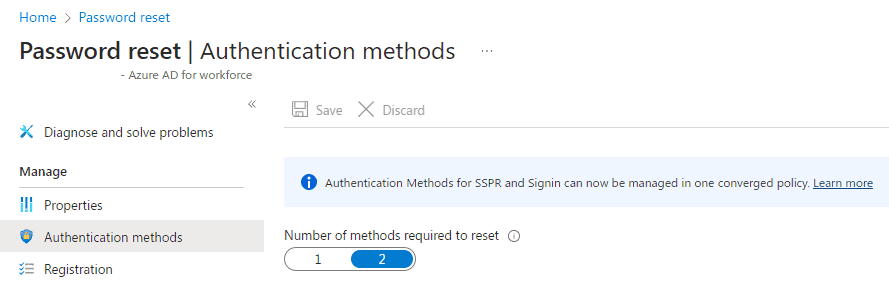
Configure Self-Service Password Reset and target it to ALL USERS
*There are legitimate exceptions to make in Conditional Access, but they are not to be made for end-users (Your C-Levels are just like everybody else).
…There are other CA policies I’d recommend, but that isn’t for this post.
Expanding on those suggestions
Conditional Access Policy
Pretty straightforward, although if you’ve never implemented this before, mit ight be best to use “report-only” for a week or two.
Disabling Password Expiry
This option is over at https://admin.microsoft.com –> Org Settings –> Security & Privacy
SELF-SERVICE PASSWORD RESET
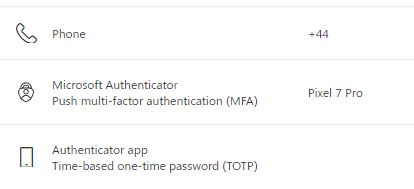
Assuming you’ve made the migration to Entra ID Authentication Methods, you’ll have a few options to choose from for users to use to reset their own passwords without calling the helpdesk:
Microsoft Authenticator
SMS
Third-party software OATH tokens
Voice call
Email OTP
(Eventually, Security Questions will be available too, although some of those are pretty weak. I recently saw a custom one added, which was: “What is your favourite colour?”)
I always recommend requiring two of the above methods for a password reset.
Once configured, users will be able to add methods for SSPR over at https://aka.ms/mfasetup
End-users
It’s all well and good being the sysadmin creating these strong policies, but you also need to tell people about them. Number-matching MFA has done a lot to prevent mistakes of people approving prompts without thinking; however, users need to be informed about the new login experience.
For example, tell them:
Don’t approve or proceed with anything you aren’t expecting
Modern Business Email Compromise (BEC) attacks often rely on compromised mailboxes rather than obvious account takeovers. In this article, we'll explore the tactics observed in recent investigations, the signs defenders should look for and practical steps organisations can take to reduce risk.
Remote access technologies have become a staple of modern business operations, enabling secure connectivity for distributed workforces and third-party suppliers. But as cyber defenders have learnt time and time again, threat actors are often quick to adopt the same legitimate tools organisations rely on every day.
Mesh VPN platforms such as Tailscale, Headscale, ZeroTier, Nebula and Netmaker provide secure, encrypted connectivity between devices. While valuable for legitimate remote access, those same capabilities can also be abused by attackers seeking persistent access to compromised systems.
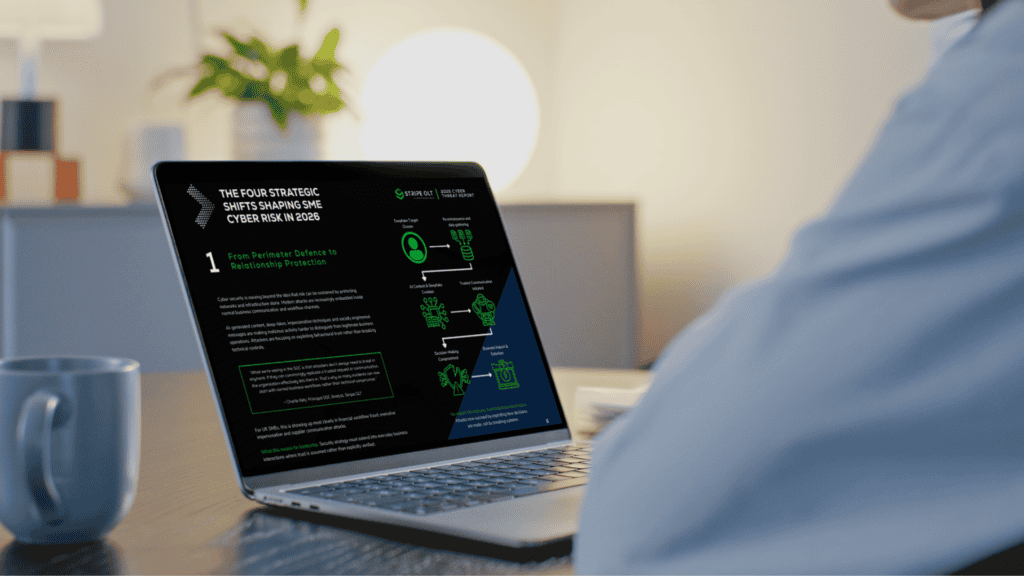
The 2026 Cyber Threat Report explores how attackers are exploiting people, identities and trust to bypass traditional defences, helping UK SME leaders understand the risks they need to prioritise in 2026.
Canary Tokens offer a practical way to strengthen detection and visibility. In this article, we'll explore how they work, where they add value, and how organisations can use them as part of a wider security strategy.
Our SOC team recently uncovered hidden surveillance functionality within a trusted browser extension, including capabilities designed to collect browsing activity, generate unique identifiers and communicate with external infrastructure.
This article breaks down CVE-2026-32201, a zero-day spoofing vulnerability in Microsoft SharePoint Server. You’ll learn how the flaw works, why “spoofing” is more dangerous than it sounds, and what your team needs to do right now if on-premises SharePoint is part of your environment.
This report provides a detailed analysis of OAuth token abuse, focusing on how threat actors bypass defensive security measures to gain unauthorised access.
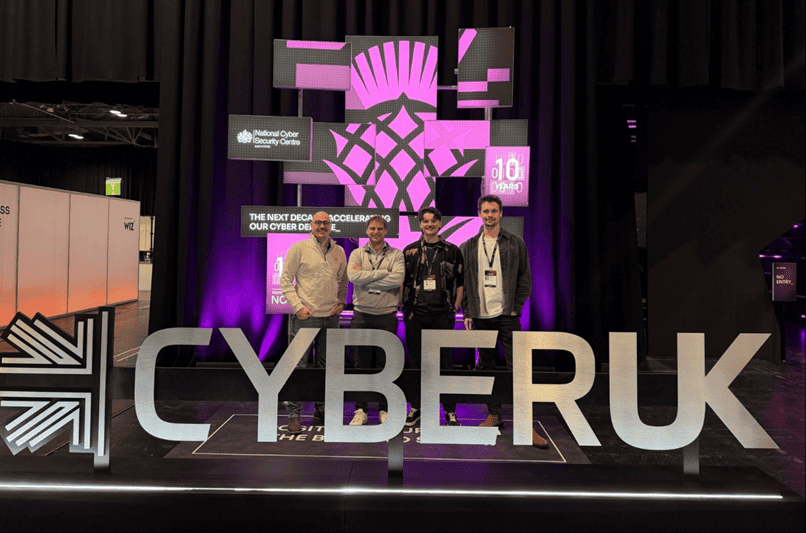
This Expert Intel summarises the key cyber security themes from CYBERUK 2026, exploring how AI is accelerating attacker capability, why identity remains the primary control gap, and what UK based organisations should prioritise to strengthen detection, response, and supply chain resilience.
Microsoft is reshaping its licensing strategy with the introduction of Microsoft 365 E7, new pricing changes, continued Teams separation, and additional security and AI functionality being bundled into existing licences. For organisations investing in AI, automation, security, and compliance, these changes could significantly affect licensing costs, procurement decisions, and long-term Microsoft 365 strategy.
This report provides an in‑depth analysis of the Tycoon2FA phishing‑as‑a‑service platform, including how it bypasses MFA and harvests credentials through session authentication cookies. In addition, the report outlines recommended mitigation strategies to help prevent and detect this phishing technique.
In this intel we set out to understand the changing landscape of trust, in a digital world where AI-generated code is permeating the software supply chain at scale and AI-enabled phishing is making adversarial infrastructure harder than ever to distinguish from the real thing.
This website uses cookies. By using this site you agree to our use of cookies. We use cookies to enhance your experience. To understand the specific cookies we use and how we handle your data, see our Cookie Policy, Privacy Policy and Terms & Conditions. Manage your preferences at any time by clicking the 'View Preferences' button.
Functional
Always active
The technical storage or access is strictly necessary for the legitimate purpose of enabling the use of a specific service explicitly requested by the subscriber or user, or for the sole purpose of carrying out the transmission of a communication over an electronic communications network.
Preferences
The technical storage or access is necessary for the legitimate purpose of storing preferences that are not requested by the subscriber or user.
Statistics
The technical storage or access that is used exclusively for statistical purposes.The technical storage or access that is used exclusively for anonymous statistical purposes. Without a subpoena, voluntary compliance on the part of your Internet Service Provider, or additional records from a third party, information stored or retrieved for this purpose alone cannot usually be used to identify you.
Marketing
The technical storage or access is required to create user profiles to send advertising, or to track the user on a website or across several websites for similar marketing purposes.